
Struggling to build a Claude skills.md file?
Claude has a built in tool that help you build skills.md files

Claude has a built in tool that does it for you!
The other week, I sat down to create a prompt that would help me create a skills.md
In my investigation and poking around, I found that Claude themselves BUILT a skills.md to help users.
So no need to create a prompt to help you do this!
Here is how to find it and use it:
1) Inside Claude, on the far left, is a menu.
Third item down is "Customize".
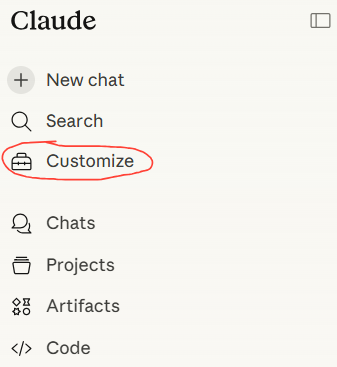
Click "Customize"
2) Customize Menu Opens.
You have two options as seen below:
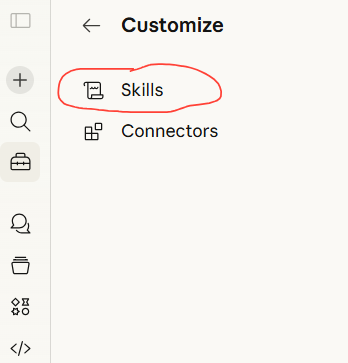
Click "Skills"
3) This open up a list of pre-defined skills.
at the top of the list is skill-creator
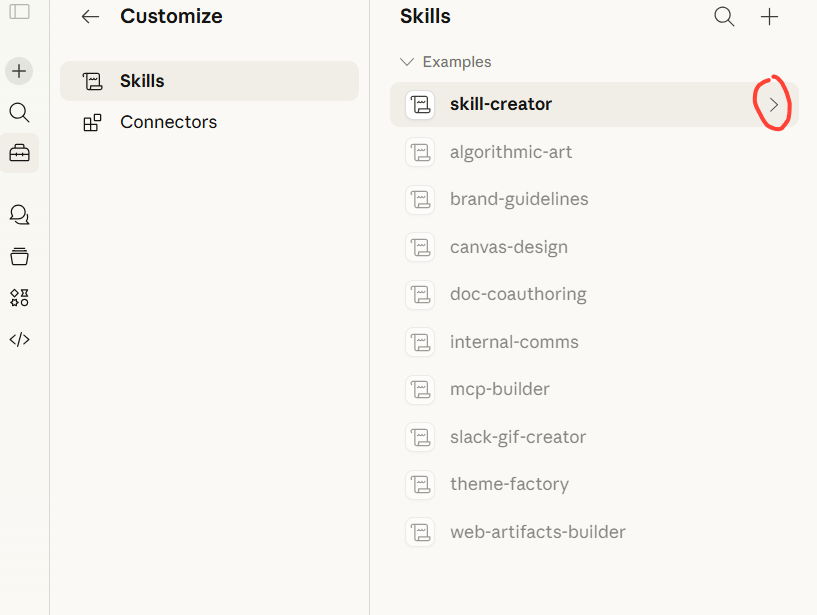
4) For learning purposes, click the "greater than" sign, to open up the sub-list of items. This will show you everything the folks at Claude have built to include within this skill.
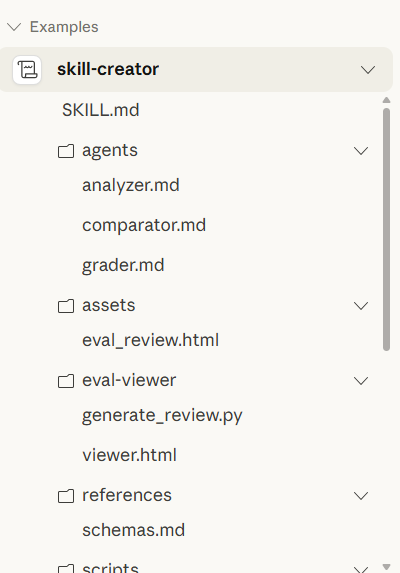
You don't have to dig into ANY of these files. I am showing you this just to demonstrate everything Claude built to accomplish this task.
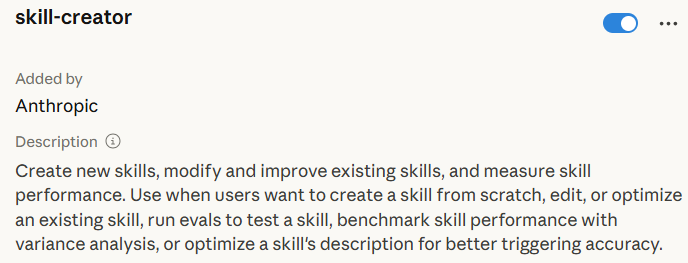
5) Below is the description of the skill-creator skill
6) To use the skill creator. Do the following:
in the text box type: /skill-creator
The forward slash (/) lets Claude know that a command is coming.
What follows the forward slash is the name of the skill that should be run.
After you type /skill-creator; follow that with instructions on the kind of skill you want to create.

In this example, I attached a text file with a prompt I use. So my instructions for the skill-creator is to turn that prompt into a skill.
7) Claude then does a couple of things. First, its reads the skill-creator skill.md file. It gathers those instructions. Then it read your instructions and proceeds to build the skill.

8) When Claude completes building, the following will appear:

The name of your skill will appear where I have blacked-out the name of mine.
You are given two options:
- Download
- Copy to your skills
9) I highly recommend you download the skill for backup/safe keeping.
10) When you click the "Copy to your skills" button, Claude will save your skill to the skills section of your account:
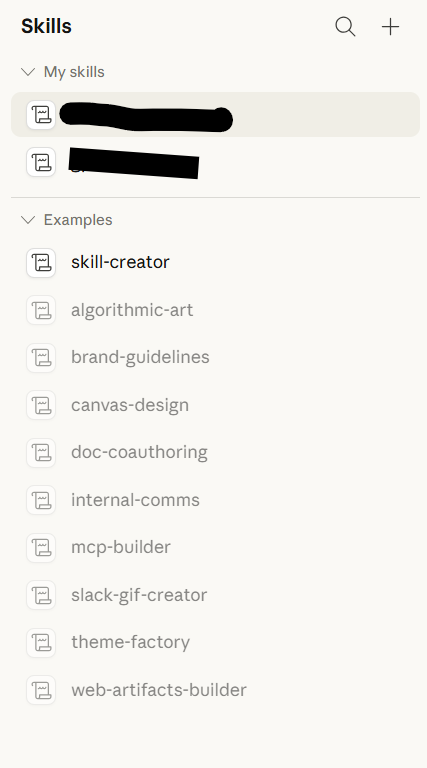
Your skill will appear in the My Skills heading of the Skills menu
11) To run your new skill:
In the Claude text box, type forward slash (/) and then the name of your skill
/your-skill-name